Sign in and choose where to work
Go to app.miraven.com and sign in. What you can change depends on your role: every authorized user can review conversations, while administrators can manage agents, team members, integrations, and billing.
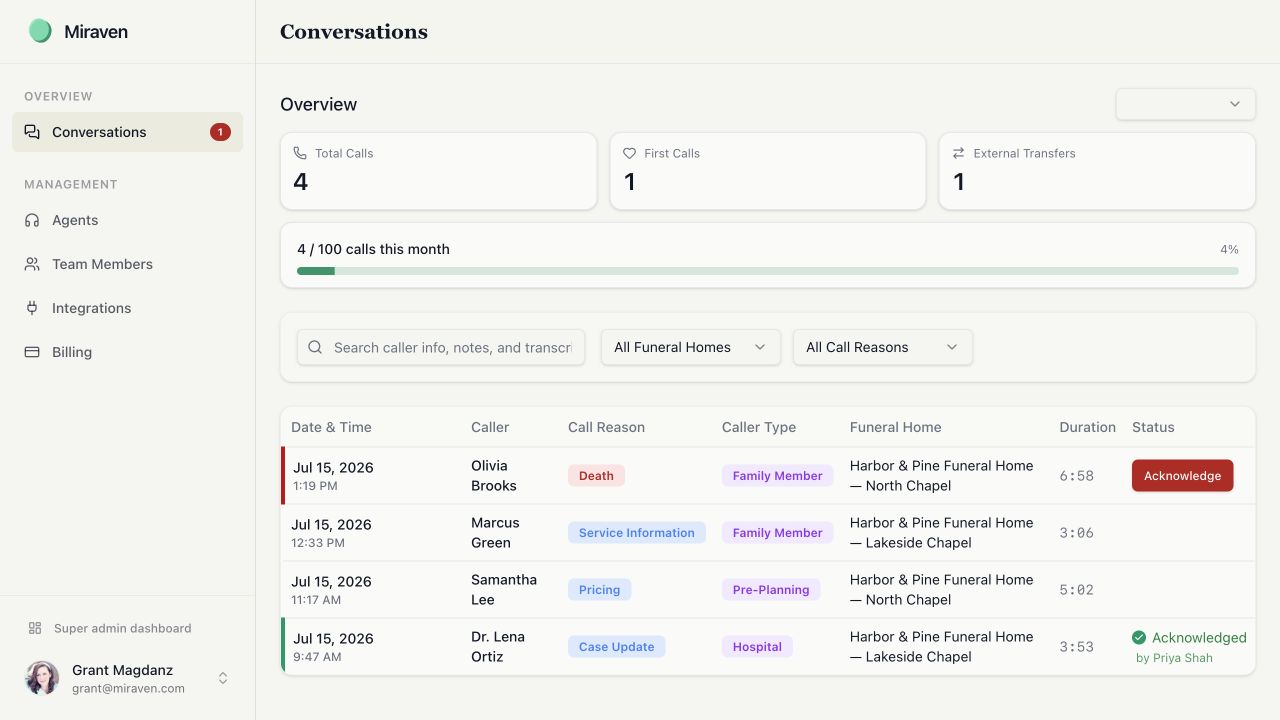
Review a call
Open Conversations
Select Conversations in the sidebar.
Find the call
Search caller information, notes, or transcript text. You can also filter the list by funeral home or agent and by call reason.
Open the details
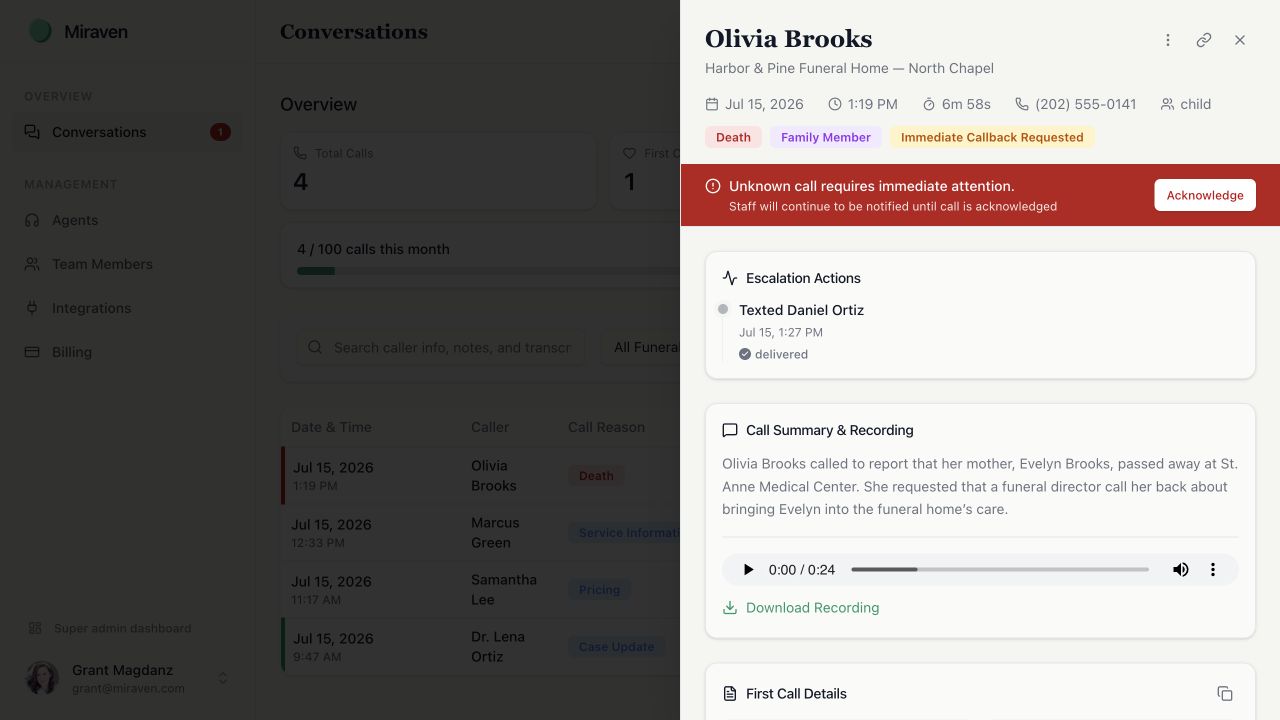
Select a conversation to review its summary, collected information, transfer result, and escalation timeline. See Find call recordings and transcripts for recording and transcript controls.
Follow up
Use the callback number when follow-up is needed. Open escalations should be acknowledged by the staff member taking responsibility.
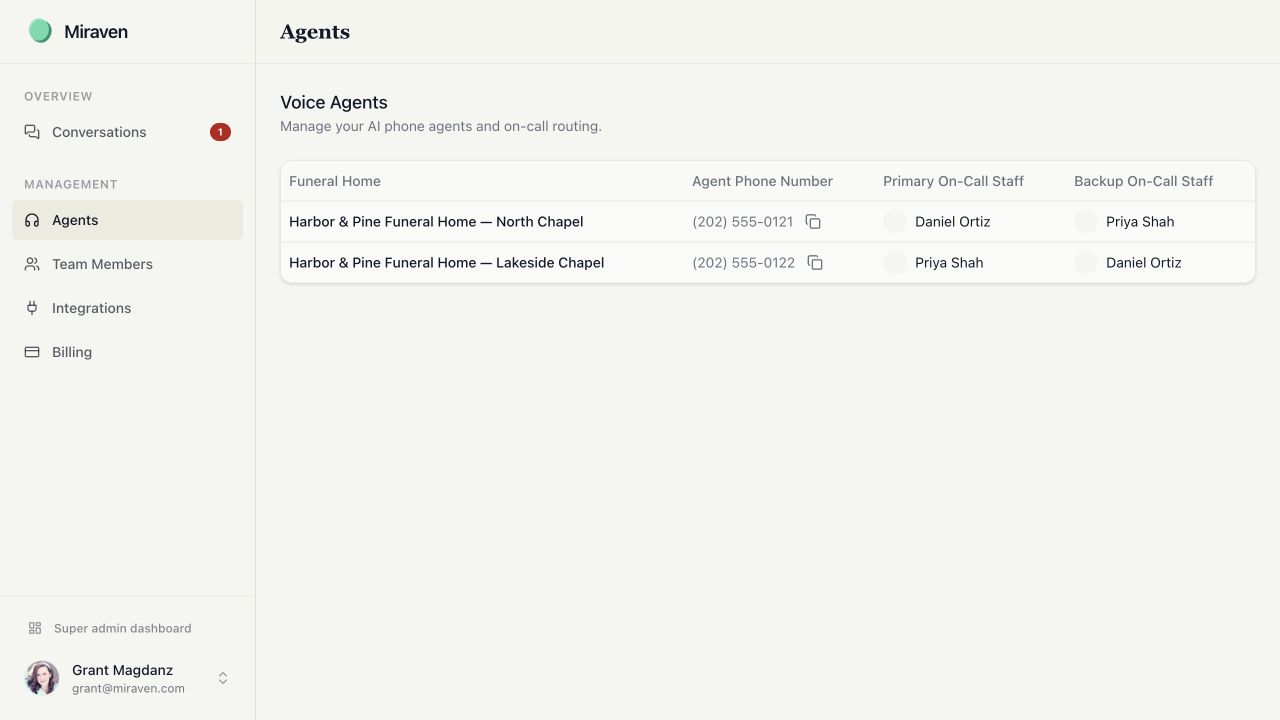
Manage agents and on-call routing
Open an agent
Administrators can select Agents, then choose a funeral home or location.
Review the basics
Confirm the funeral home name, agent name, agent phone number, and transfer number.
Set primary and backup coverage
Choose the primary and backup on-call staff. Keep both current whenever the schedule changes.
Review the greeting and identity
Confirm the name the agent uses, how it introduces your funeral home, and the greeting callers hear.
Choose the voice and language behavior
Select the agent’s voice and language settings. If you use automatic language detection, place a test call in each language you expect.
Review call-handling rules
Confirm which routine questions the agent may answer, when it should transfer or escalate, and how unknown callers should be handled.
Save and test
Save the changes, then place a short test call before relying on a new routing setup.
Miraven classifies calls as Death, Imminent Death, Pricing, Pre-Need, Service Information, Cemetery, Sales, Case Update, Records Request, General Inquiry, Other, or Unknown. Review how each type should be handled before testing.
Manage access and integrations
Administrators can use Team Members to invite staff and manage roles. Use Integrations to connect Passare, Slack, Tukios, and other supported tools.
Still need help?
Email support@miraven.com or call (201) 824-4343.