Before you begin
To turn on the integration, contact Passare Support at support@passare.com or (800) 692-5111. Passare approves the connection and provides the Public API token used to connect your account. You also need admin access to Miraven so you can confirm the connection and map each agent to the correct Passare branch.
Request approval from Passare
Open Integrations
Sign in to Miraven on the web and select Integrations in the sidebar.
Start Passare setup
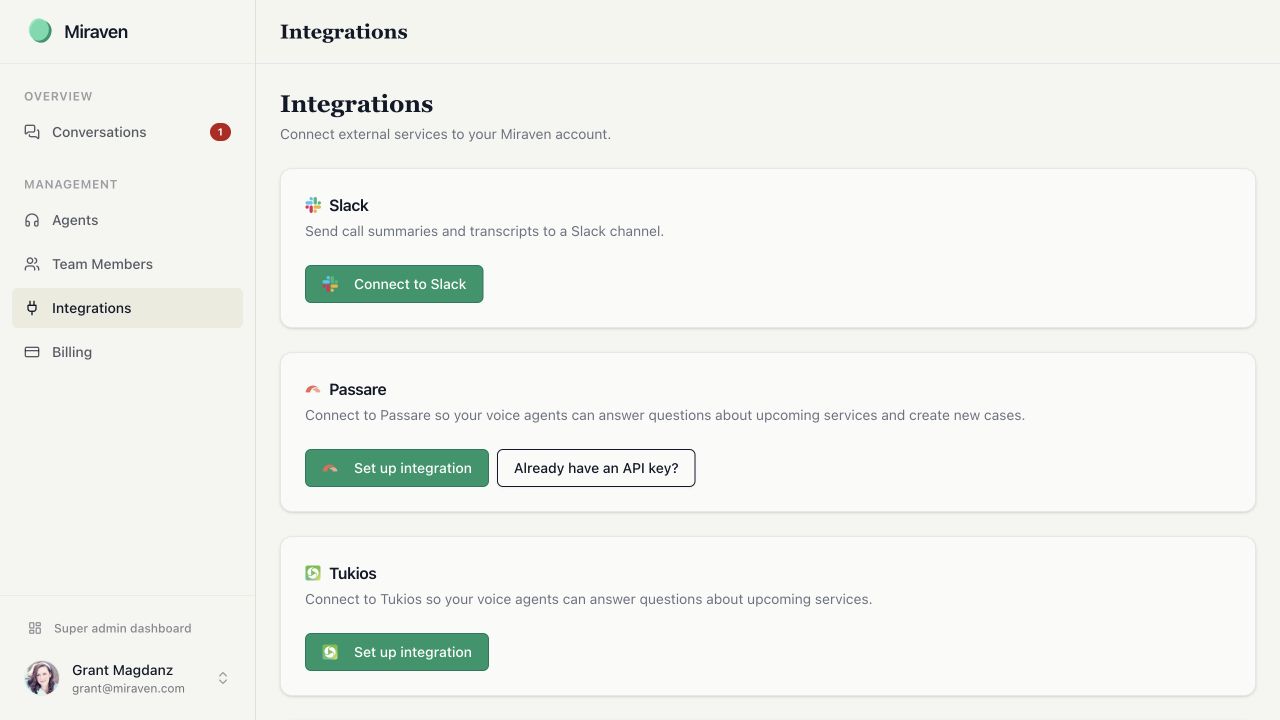
Find the Passare card and select Set up integration.
Send the request
Review the details, then select Request approval from Passare. Miraven emails Passare Support and copies your Miraven admin contact and the Miraven team. You can also contact Passare Support directly.
Wait for a decision
Passare can respond on the email thread with its approval decision and, if approved, the Public API token needed to finish setup.
Connect the account
Return to Integrations
Open the Passare card and select Already have an API key?
Enter the token
Paste the Public API token into API Token, then select Connect. Miraven verifies the token with Passare before saving it.
Map every agent to a branch
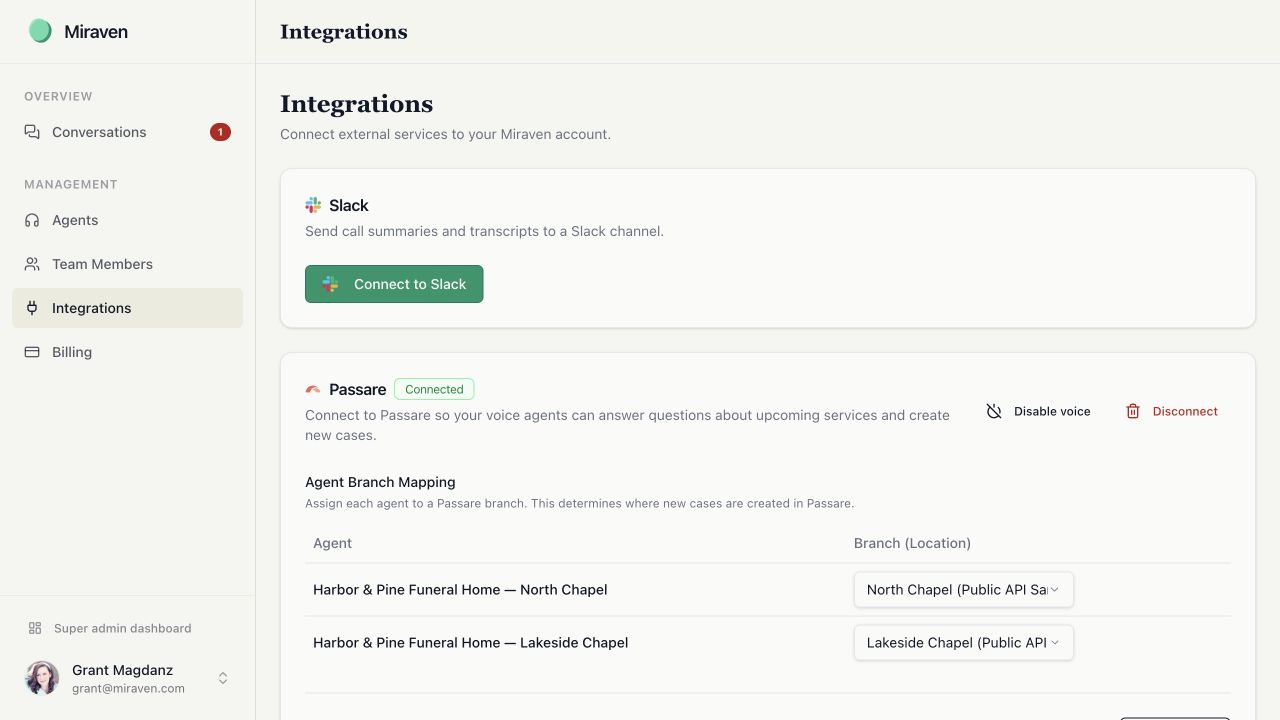
Under Agent Branch Mapping, assign every Miraven agent to the Passare branch it serves before enabling the connection. The mapping scopes the agent’s service and caller-routing data and determines where Miraven creates new cases. An unmapped agent cannot create a case and may receive data that is not scoped to a branch.
Confirm the connection
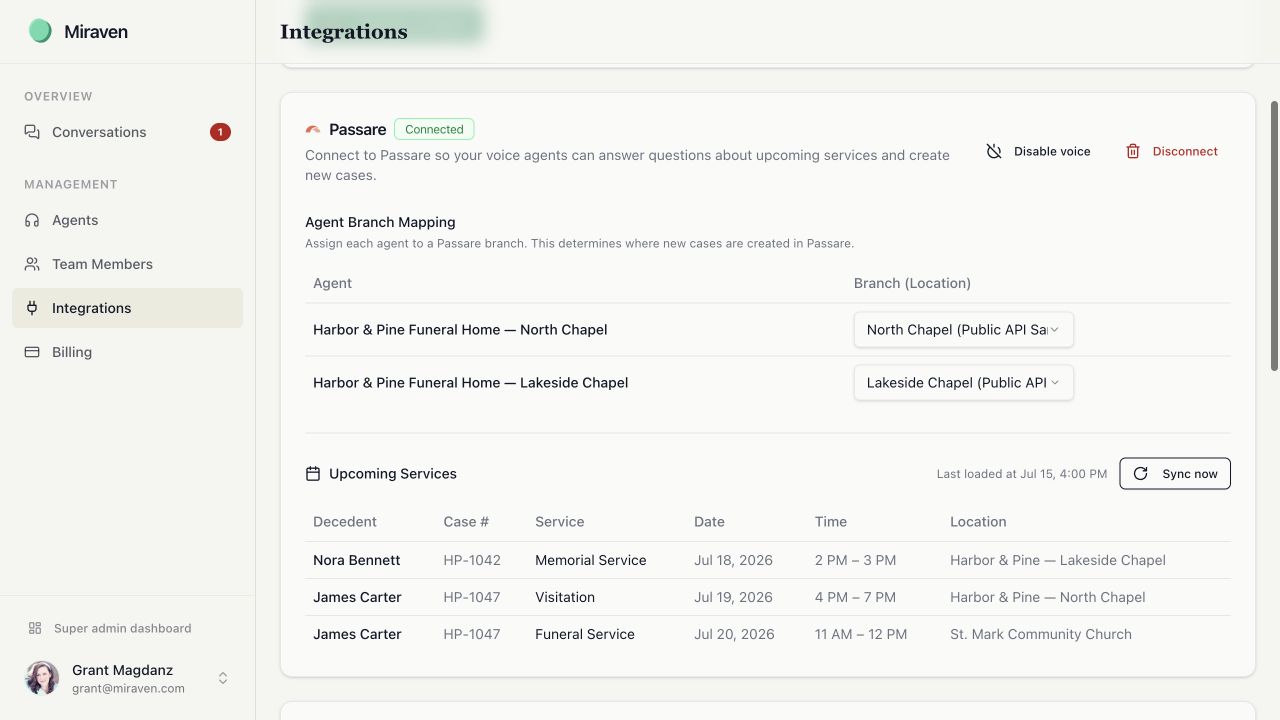
Look for the Connected badge. The Upcoming Services section shows the service details Miraven can currently read from Passare.
What the connection does today
The connection gives Miraven agents upcoming service details, helps recognize inbound callers from recent Passare records, and creates a new Passare case after an eligible death call.
- While enabled, Miraven refreshes each configured voice agent’s upcoming-service context about every 15 minutes. Opening the integration page loads current service data directly from Passare; Sync now immediately refreshes the voice-agent context.
- Miraven rebuilds its inbound caller index about every 12 hours using recent Passare cases, acquaintances, and their phone numbers. The default lookback is 90 days.
- A new at-need Passare case is created only when the connection is enabled, the call is classified as death, Miraven collects the decedent’s name, and the agent is mapped to a Passare branch.
- For a successful Passare action, Miraven creates the case and then adds a note with the call summary, caller details, collected information, and a link back to the Miraven conversation.
- When the caller’s name is available, Miraven also attempts to add the caller as an acquaintance with a phone number and relationship when known.
Incoming context
Answer service questions
- 1Passare service details
- 2Miraven refreshes agent context
- 3Caller gets current service information
About every 15 minutes
After an eligible call
Create an at-need case
- 1Death call with decedent name
- 2New Passare case
- 3Call note and optional acquaintance
After the call ends
What Passare shares with Miraven
The Integrations screen can display the case ID and number; the decedent’s full name; the service type, event, name, date and time, and location; and the organization and branch details associated with the service. The voice agent’s service context uses the decedent’s name, event name, date and time, and location when answering callers.
What the connection does not do
- Miraven does not match a call to an existing Passare case or add notes to an existing case.
- Non-death calls do not create Passare cases.
- A death call without a decedent name does not create a Passare case.
- Recordings and full transcripts are not attached to Passare cases.
- The connection is not real-time. Upcoming service details normally refresh about every 15 minutes.
- A service refresh currently includes up to 50 matching cases per Passare organization or branch.
- Miraven requests all service events available to the API token, including events that are not marked public in Passare. Review service visibility before allowing the agent to answer service questions.
- A retry can create a duplicate if the original attempt created the case before a later step failed.
Check activity and fix common problems
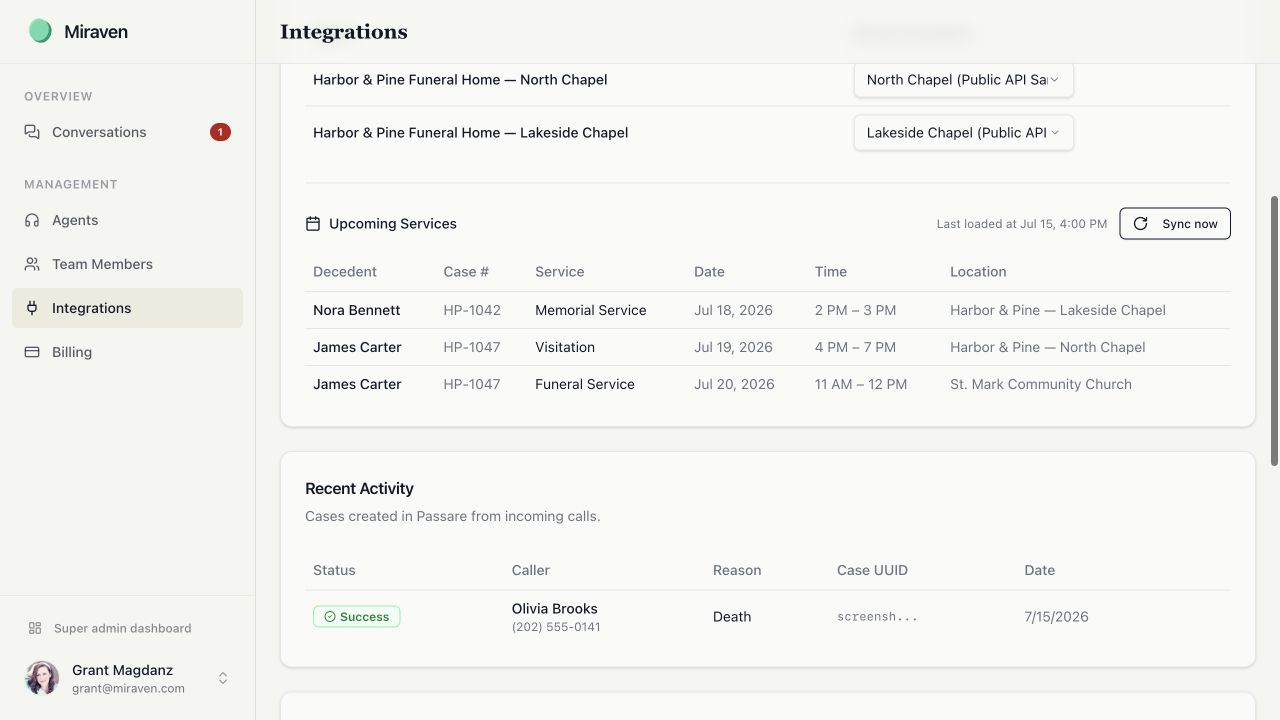
The Passare card shows Recent Activity after Miraven attempts to create cases. Before retrying a failed action, check Passare for a case created by the original attempt. A retry can create a duplicate if the case was created before a later step failed. If you are unsure, contact Miraven Support with the caller and call date.
- Token will not connect: confirm the complete token was copied, remove extra spaces, and confirm Passare approved the correct account.
- No branches appear: ask Passare to confirm which organization and branches the token can access.
- Upcoming service is missing: confirm the integration is connected, select Sync now, and check that the service is dated today or later in the mapped branch.
- Case was created in the wrong branch: update Agent Branch Mapping. The change applies to future cases; it does not move an existing case.
- Call did not create a case: confirm it was a death call, the decedent’s name was collected, the agent has a branch mapping, and the connection is enabled.
Disable or disconnect Passare
Disable voice stops scheduled and manual voice-context sync and new post-call writes, but it is not a full data-access disconnect. Miraven keeps the token and branch mappings, and its inbound caller index continues to read recent Passare case and acquaintance phone data.
Disconnect stops token-based Passare access and clears the stored API token, branch mappings, and upcoming-service voice context. It does not delete prior Miraven conversations or historical Passare activity records. You must reconnect and map the branches again before using the integration.
Still need help?
Email support@miraven.com or call (201) 824-4343.